

Saner Container Orchestration Remediation Management (CORM)
Turn container orchestration security findings into corrective action with fully integrated remediation
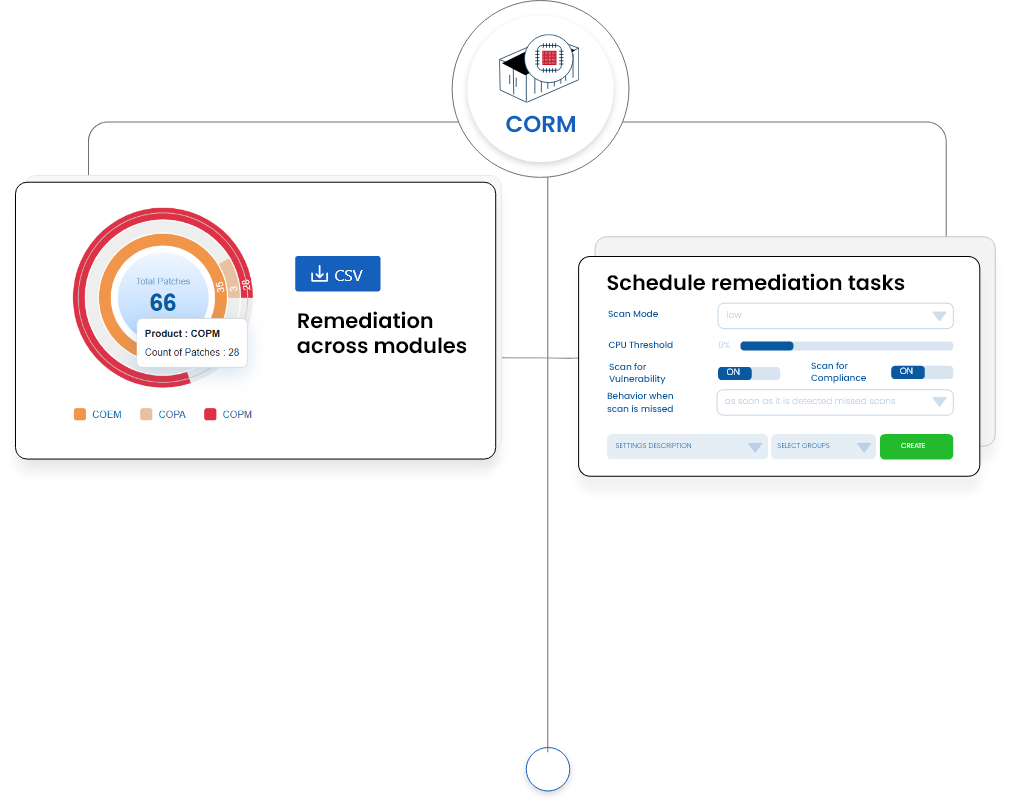
Saner CORM brings built-in remediation, automated patching, patch aging analysis, and remediation tracking into one workflow, helping teams act on security issues identified across Saner COSP.

How it works
Powered by Prevention & USI
Saner CORM is part of Saner COSP, bringing SecPod’s prevention-first security approach to Kubernetes posture management across on-premises and managed Kubernetes environments.
How it works
Powered by Prevention & USI
Saner CORM is part of Saner COSP, bringing SecPod’s prevention-first security approach to Kubernetes posture management across on-premises and managed Kubernetes environments.
Your first 30 days with Saner
From deployment to measurable risk reduction — here is what to expect.

Patch gaps become actionable remediation tasks
Saner CORM brings missing-patch details, affected resources, and remediation status into a connected workflow. Teams can review supported findings from COPM, COPA, and COEM, then create remediation tasks using a wizard-based process.
Patch work becomes prioritized and scheduled
Teams use severity, affected-resource count, and Patch Aging data to identify which missing patches need earlier attention. Remediation jobs can then be scheduled around approved maintenance windows and operational requirements.
Remediation becomes measurable and repeatable
Scheduled jobs, automated patching, status tracking, and follow-up reviews become part of a consistent operating process. The Patching Impact Chart helps teams compare patches applied with security rules fixed and identify remediation work that remains open.
Key Features
Everything you need to stay ahead of threats.
Built in true remediation workflows
Truly remediate risks detected from multiple COSP modules in one connected workflow.
Saner CORM connects supported findings from COPM, COPA, and COEM with the workflows used to address them. Teams can move from a source finding to the relevant corrective action while retaining access to patch details, affected resources, task status, and remediation progress. Integration with Saner CORP also allows prioritized Kubernetes risks to be sent to CORM for corrective action.
Wizard-based remediation task creation
Create structured remediation tasks for missing patches.
Saner CORM provides a wizard-based process for converting missing patches into remediation tasks. Teams can review the relevant patch information and affected resources before defining the work to be performed. The task remains connected to the original finding, providing a traceable path from identification through patch execution and status review.
Scheduled jobs and automated patching
Control when supported patches are deployed and automate repeatable patching work.
Saner CORM supports scheduled remediation jobs and automated patching within the same remediation process. Teams can plan patch execution around approved operational periods and reduce manual work for applicable patch deployments. Scheduling, execution, and job status remain connected, making patch activity easier to coordinate and monitor.
Top Missing Patches ranking
Rank missing patches using severity and affected-resource count.
Saner CORM identifies the Top 10 missing patches across COPM, COPA, and COEM. A weighted score combines patch severity with the number of affected resources to create a focused patching queue. The ranking is specific to patch remediation, while Saner CORP provides broader Kubernetes risk prioritization using exploitability, technical impact, mission impact, and other contextual factors.
Patch Aging and status views
Review how long patch gaps have remained open and where remediation work stands.
Patch Aging views show outstanding patch remediation over time, while patch details and status views provide information about the related corrective work. Teams can identify older unresolved patches, monitor remediation jobs, and distinguish completed work from items that remain pending. These views keep historical patch gaps visible as new findings enter the queue.
Patching Impact Chart
Compare patches applied with the number of security rules fixed.
The Patching Impact Chart plots the number of security rules fixed against the number of patches applied. It provides a view of remediation coverage beyond the total number of patches deployed. Teams can use the chart alongside Patch Aging and remediation status data to assess how patching activity is addressing identified security gaps.